spbo asia Mobile App
We at spbo asia provide native and web-based access to our platform so you can engage with live football, slot tournaments, and live-dealer tables from any device. Our approach prioritises account security and seamless session continuity across Android, iOS, and browser environments.

- Installin
- LoginOTP Verification
- StartFirst Game
- Update
Accessing spbo asia via mobile—whether through our Android APK, iOS web player, or responsive web app—places your account, payment methods, and game history at your fingertips. Each pathway is engineered to maintain the same verification standards and withdrawal protocols you would encounter on a desktop, ensuring consistency and trust in every interaction.
This guide walks you through installation options, device compatibility, and the security measures we undertake to protect your data and account. We also cover common setup questions and the practical differences between native app and browser play.
Installation Paths for spbo asia
We offer three main routes to access our platform on mobile devices. Each has distinct advantages depending on your device, operating system, and preference for app-store installations versus browser-based play.
Direct download and installation for Android 7.0 and above; offline cache support and push notifications.
Download APKResponsive web access through Safari; no app-store approval required; instant login and session sync.
Open in SafariResponsive design for all mobile browsers; bookmark or add to home screen for one-tap launch.
Use Web AppStep-by-Step Setup for spbo asia
Getting started on our platform involves four core steps: downloading or accessing the app, completing account registration, verifying your identity, and funding your account via your preferred payment method.
- Download or open spbo asia. For Android, navigate to our site and tap the APK download link; enable "Unknown Sources" in Settings if prompted. For iOS or general web access, open Safari or your preferred browser and visit our domain.
- Register and verify. Create your account with a valid email and phone number. We will ask you to verify your identity through a one-time code sent to your phone or email, and confirm your payment details.
- Add a payment method. Link your preferred account—DANA, e-wallet, mobile banking, local payment, online payment, e-wallet, or direct bank transfer (mobile banking, local payment, online payment, e-wallet)—through our secure payment gateway.
- Start your session. Once verified and funded, you can browse live football markets, slot tournaments, or live-dealer tables. Your session persists across devices if you remain logged in.
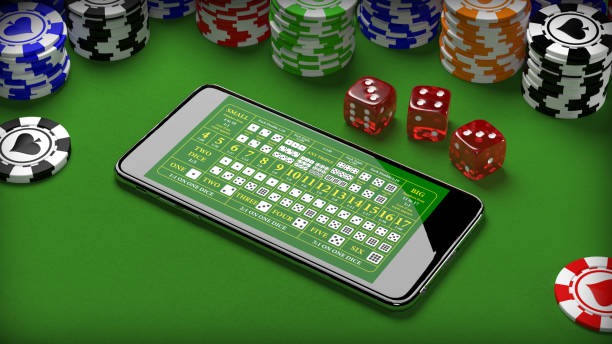
Native App vs Browser: Key Differences on spbo asia
Our native Android APK and responsive web app serve different user needs. The Android app—available for download directly from our site—includes offline game caching, which allows you to view game rules and recent results even without internet connectivity. Push notifications alert you to live matches, special tournaments (such as Liga 1, Piala AFF, and Piala Indonesia fixtures), and account activity.
The browser-based path works identically on iOS, Android, or desktop. It requires no separate installation, updates automatically with each visit, and syncs your session instantly across devices. If you use spbo asia on both your phone and tablet, logging in on one device logs you out on the other—a security measure we maintain to protect your account. Many users prefer the web app for its simplicity; others favour the Android APK for the offline experience and notification features.
Performance on 4G and 5G networks is comparable between both methods. The choice ultimately depends on whether you value app-store independence and background notifications or prefer minimal installation overhead.
Device Compatibility and Requirements
We support Android 7.0 (API 24) and above for our native app. For iOS, our web player runs on Safari 12.0 and above, covering iPhones and iPads released within the past seven years. All modern mobile browsers—Chrome, Firefox, Edge—can access our web app without additional setup.
Minimum storage for the Android APK is approximately 50 MB. We recommend at least 100 MB of free space to ensure smooth caching and updates. If you encounter storage warnings, clearing your browser cache or app cache data may resolve the issue without affecting your account.
Troubleshooting Installation Issues
The most common barrier to Android installation is the "Unknown Sources" warning. Android blocks APK files from sources other than the Play Store by default. To proceed, open Settings → Apps and notifications → Advanced → Install unknown appsthen select your browser or file manager and toggle Allow from this sourceAfter installation completes, you may disable this setting again.
If you see a certificate trust error, your device's date and time may be incorrect. Open Settings, verify the date, time, and timezone match your location, and retry. If problems persist, clear your browser cache (Settings → Apps → [Browser name] → Storage → Clear Cache) and attempt download again.
For iOS users unable to install via direct download, our web app is fully functional in Safari. You may add it to your home screen by tapping Share → Add to Home Screencreating a shortcut that opens spbo asia in full-screen mode with each tap.

Data, Permissions, and Account Security on spbo asia
When you install or access spbo asia, we ask for specific permissions: location (optional, used only to detect your jurisdiction and ensure service availability), camera (required for account photo verification during KYC), and storage (to cache game assets and account data locally). We do not share these permissions with third parties.
Your account data—registration details, payment history, game session records—is encrypted in transit and at rest on our servers. We apply standard security practices including SSL/TLS encryption, secure password hashing, and periodic security audits. When you initiate a withdrawal, our system performs additional verification steps to confirm your identity and bank account ownership; this process is subject to standard verification windows and may take time depending on your payment provider's processing queue.
We recommend enabling two-factor authentication on your account once you create it. You may do this in your account settings by providing a phone number or authenticator app. If you ever believe your account has been compromised, contact our support team immediately and reset your password through the login screen.
Our Commitment to Your Mobile Experience
We designed our mobile platform to meet the needs of users in supported jurisdictions who wish to follow live football—Liga 1, Piala Indonesia, Piala AFF, and international leagues—engage with daily and weekly slot tournaments, or play live-dealer games on a flexible schedule. Our infrastructure is built to maintain account integrity, ensure withdrawal accuracy, and provide consistent access across Android, iOS, and web.
Your success on spbo asia depends on informed decisions about game participation, responsible management of your account, and awareness that all gaming outcomes are determined by chance. We encourage you to review our terms and conditions and privacy policy to understand how we handle your data and process transactions.
If you have questions about app installation, device compatibility, or account security, visit our FAQ page or reach out to our support team. We are here to ensure your mobile access to spbo asia is smooth, secure, and aligned with local law in your jurisdiction.